

5 Ways to Comment / Message on BBNaija TV [2026] Season 11
5 Ways to Make Your Comment/Message Show on 2026 BBNaija TV Screen (Season 11)
This season of Big Brother Naija (BBN) 2026 reality show promises to be exciting and fun filled. One of the ways you can enjoy the show is to actively participate and make your voice heard through your opinions, gossips and suggestions. You can do this by making your comments appear on BBNaija television screens during the 24/7 broadcast of the show where viewers all over the world can see your comments.
This season, there are five ways to make your comments appear on BBNaija Season 11 TV screens and connect with millions of fans all over the world. The two different ways are explained below;
1. Via BBNaija 2026 website
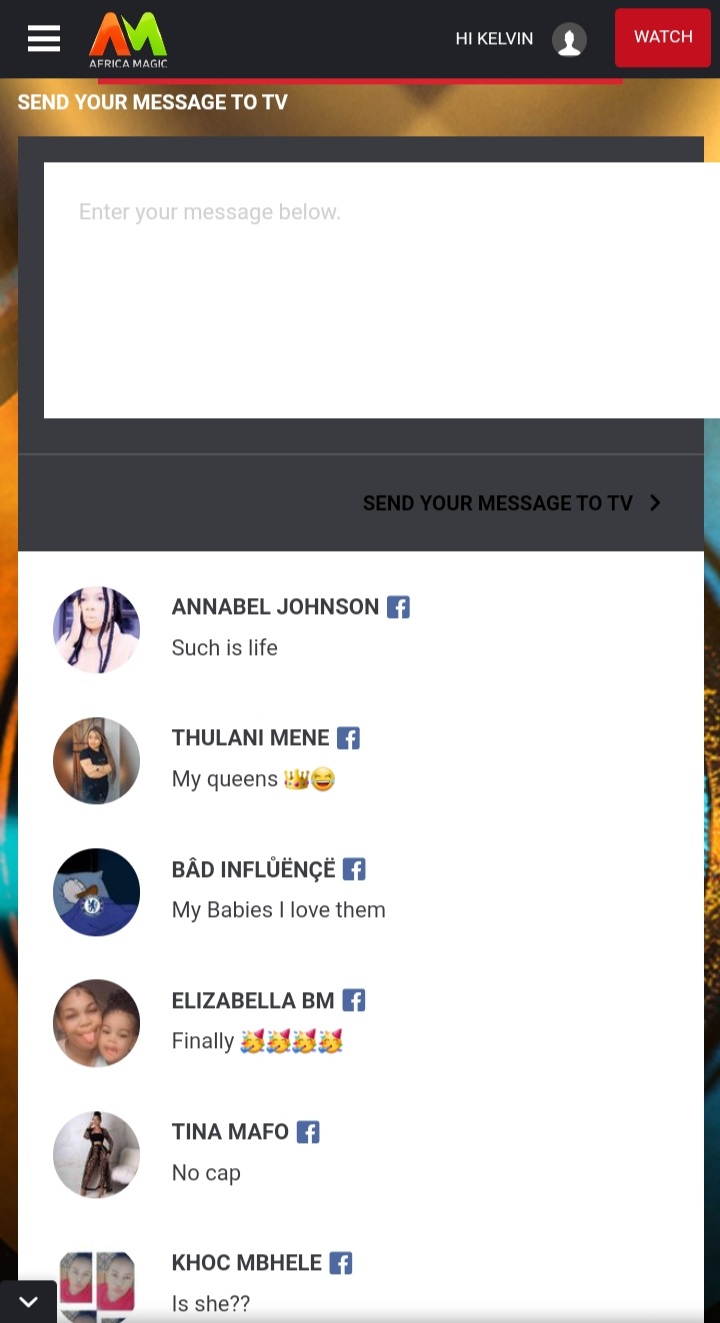
You can now send a message to TV via the Big Brother Naija 2026 website at MSG2TV. To send your message, click on MSG2TV, then log in using your Facebook account or personal details. Once you’ve logged in, create a message and send, then keep messaging Big Brother Naija all season long, to be part of the conversation.
How to Comment on BBNaija 2026 TV Via official Big Brother Naija website
- Visit the designated Big Brother Naija ‘MSG2TV‘ page on the website.
- Create an account using your personal details.
- Log in to your account and submit your message.
- There’s no restriction on the number of messages you can send throughout the season, so feel free to share your thoughts frequently.
2. On BBNaija official Facebook page
You can also have your say on our official Facebook page Big Brother Naija (facebook.com/bigbrothernaija). Send your message to TV by posting on our Facebook page. All you need to do is leave a comment on any of our posts. In addition, you can also create a post on our Facebook wall and write your message to Big Brother Naija – and your messages could be aired on television.
3. On X or Instagram
Use the hashtag “#BBNaija” on Twitter or Instagram. All messages containing the official show hashtag #BBNaija on Twitter or Instagram stand a better chance of being rolled out on the screen. Even better are those that are positive in sentiment as they will get first preference in the que. Let’s be nice, guys!
4. On MyDStv or MyGOtv APP
This season, you can also post your messages to appear on TV on the MyDStv or MyGOtv Apps. Here’s how to go about it:
- Download the MyDStv or MyGOtv App from the Google Play Store or the Apple App Store.
- Log in to the app by selecting your country of subscription and using your surname or mobile number and smartcard number.
- Once you’ve logged into your MyDStv or MyGOtv app account page, look for the “Explore More” button.
- Click on the “Type Messages Now” option.
- Select an avatar for your message and click on the text field to type your message.
- Then click the submit button to send your message to TV.
Eligible packages are Premium, Compact Plus, Compact, Confam/Family, Yanga/Access, GOtv Max, GOtv Jolli/Plus and GOtv Supa.
5. Participating in BBNaija on-screen polls:
- Keep an eye out for regular polls related to Big Brother Naija on the official website.
- The results of these polls will be displayed on the dedicated Big Brother channel.
Note that all comments will be moderated before they will be displayed during the show. Avoid the use of abusive, violent or x related words.
I really love oyin with her character and she finally mentioned the greatest of all… Read more »
I really love oyin with her character and ahe finally mentioned the greatest of all… Read more »
I really love oyin with her character and ahe finally mentioned the greatest of all… Read more »
I really love oyin with her character and ahe finally mentioned the greatest of all… Read more »
Temi nkem for the win
Good afternoon housemates good luck on your wagar, and my temi with the dance moves
Keivo and tramp is my favorite
I pray aikou should win the bbn show
Tramp and keivo till the 72 days
😥my sister Nexus is not in big brother house oh no 😥😥😥
Good night Sheba goddess and bells
Good morning sheba, Aikou and Cassie
Blue,Yusuf,Aikou,chim and my two gossipers oyin n flora
Blue,Yusuf,Aikou,chim and my two gossipers oyin n flora
Good morning temi nkem and sheba
I pray 🙏 that Barry doesn’t get evicted
Yeah bro🤔
blue and chim , Aikou my future husband
blue and chim , Aikou my future husband
M happy that blue and chim are safe , Aikou my future husband
Na u know
M happy that blue and chim are safe , Aikou my future husband